Monday, September 19, 2011

Changing data types of columns...

Today I came across one good example
You have one table say ABC, and in that you have 4 cols which are having data type as varchar2(200).
Requirement is , you need to convert the data types of these columns to Number. This table has a data.
How will you change the data types of these columns ?
Note:- You can not create backup table in production...
----------------
CREATE TABLE ABC(COL1 VARCHAR2(200),COL2 VARCHAR2(200),COL3 VARCHAR2(200),COL4

SET DEFINE OFF;
Insert into HR.ABC
   (COL1, COL2, COL3, COL4)
 Values
   ('1', '1', '1', '1');
Insert into HR.ABC
   (COL1, COL2, COL3, COL4)
 Values
   ('2', '2', '2', '2');
Insert into HR.ABC
   (COL1, COL2, COL3, COL4)
 Values
   ('3', '3', '3', '3');
COMMIT;


---------------

TABLE ABCADD

UPDATE
(COL11 NUMBER, COL22 NUMBER, COL33 NUMBER, COL44 NUMBER)

---------------

ABCSET COL44 = TO_NUMBER(COL4)

ALTER

UPDATE ABC SET COL33 = TO_NUMBER(COL3)

UPDATE ABC SET COL22 = TO_NUMBER(COL2)


UPDATE ABC SET COL11 = TO_NUMBER(COL1)
----------------

ALTER  TABLE ABC DROP(COL1, COL2, COL3, COL4)
----------------

ALTER TABLE ABC RENAME column COL44 TO COL4

ALTER TABLE ABC RENAME column COL33 TO COL3

ALTER TABLE ABC RENAME column COL22 TO COL2

ALTER TABLE ABC RENAME column COL11 TO COL1


---------------

1. Here, you need to create dummy columns with number datatype at abc, because you can not create column with same name again.
2. You converted data using to_number from varchar to number and updated the newly added columns
3. You dropped the old columns
4. You rename newly added columns
 

Saturday, September 17, 2011

Things to verify...

Lookup Over-ride as clause and port map
Un-connected Lookup Input
Session Variables use
Indirect File Read What if select has more columns that ports available at Lookup and Source Qualifier

XML of mapping, session, workflow
Mapping, Session, Workflow parameter and variable working
What all things we can parameteriazed ?
Interview Question of Records count - use of aggregator and joiner, second answer to earlier question.
Normalizer, want to trasfer 2 colums as 2 rows. But rest all columns are same
Issue of performance related to birwarkar
in what order we need to perform order by at lookup over-ride
auto option of memory...
full outer join of joiner

Unix:
 grep "NK2" RDBJANERMM_BRK2_20110916_L1_20110917013839_risk.csv |  grep "USD" | cut -d"," -f3 | uniq

1) Command for listing only the files with some data =>
 find . -size +0c -ls | grep BFE2

2) Command for listing all the files but sorted according to their Size =>
 ls -lrS | grep BFE2
3) To convert "," to ";" fron whole file
First open the file using => view temp.csv
 %s/,/;/g
4) To display 12th colum from a .csv file, with condition that file "risk.csv" contains "EQUIP:ATFV"
 grep "EQUIP:ATFV" risk.csv | cut -d"," -f12
5) To view only directories
  ls -lrt | grep ^d
6) To delete roes from 3 to 17 in vi editor
 3,17d
7) To delete a row in vi editor
 press d twice with the cursor in the row to be deleted.

Use of a Sorter Tranformation

Suppose you have an requirement wherein, source contains Resource Id, Resource Name and the Mobile Brand name which he uses.

In a target table, you have 2 tables, one is resource_master and other is mobile_master.

In resource_master you have information like resource_id, resource_Name, and mobileBrand_id which he uses.

In mobile_master table you wil have mobileBrand name and mobileBrandId which is a refresesce to mobile_master table.

In Mobile_Master table, you will have unique entry for mobileBrand Name and its ID, when you join mobile_master and resource_master, you should get resource and name of the mobile which he useds.

Below are the db scripts which we will be using.


create
table SourceTable(ResourceId number,ResourceName varchar2(200),MobileBrand
)


Insert into HR.SOURCETABLE
   (RESOURCEID, RESOURCENAME, MOBILEBRAND)
 Values
   (1, 'staksale', 'I-Phone');
Insert into HR.SOURCETABLE
   (RESOURCEID, RESOURCENAME, MOBILEBRAND)
 Values
   (2, 'asjaiswa', 'nokia');
Insert into HR.SOURCETABLE
   (RESOURCEID, RESOURCENAME, MOBILEBRAND)
 Values
   (3, 'amjadhav', 'samsung');
Insert into HR.SOURCETABLE
   (RESOURCEID, RESOURCENAME, MOBILEBRAND)
 Values
   (3, 'sgakhar', 'nokia');
Insert into HR.SOURCETABLE
   (RESOURCEID, RESOURCENAME, MOBILEBRAND)
 Values
   (4, 'magogate', 'nokia');
Insert into HR.SOURCETABLE
   (RESOURCEID, RESOURCENAME, MOBILEBRAND)
 Values
   (5, 'pkhvrk', 'LG');
Insert into HR.SOURCETABLE
   (RESOURCEID, RESOURCENAME, MOBILEBRAND)
 Values
   (6, 'venkk', 'LG');
COMMIT;

create table MobileMaster(MobileBrand varchar2(200),MobileBrandId number)create table ResourceMaster(ResourceId number,ResourceName varchar2(200),MobileBrandId number)

Besides are the result which we are expecting after running the mapping.

Below are the challenges
1. Assigning unique id to each mobile brand
2. Passing corresponding mobile brand id to both the tables.


Below is the mapping logic which we have used to populate the records to 2 separate target tables.

1. Here, after fetching the records from source we have first passed it to sorter and sorted them on the basis of mobile brand name.
2. Now once mobile brands are sorted, next step is to assign unique id to each brand name. For that we implemented below logic
To Identify if brand name got changed
V_CHANGE = IIF(MOBILEBRAND = V_OLDMOBILE_BRAND,0,1)
V_OLDMOBILE_BRAND = MOBILEBRAND
To assign Unique Id
OLDVAL = IIF(V_CHANGE=1,NEXTVAL,OLDVAL)
OUTVAL will be passed to both target

Now, V_Chage variable will have value 1 when there is a change in MobileBrand value ; otherwise it will be 0 always.

Note: V_Change and V_OldMobile_Brand port have specified order. If you move the port V_OldMobile_Brand before V_Change then result will be in-correct.

We need to pass new value only in case new mobile brand name appears. That we will come to know from value of v_Change varialbe. So, if V_Change value is 1 we will pass nextval of sequence or else OldVal.

OldVal we will store as "IIF(V_CHANGE=1,NEXTVAL,OLDVAL)"; so if change found at brandName new sequence value will be passed or else same old value.

2. Second challenge is to pass same value to other target table. Now if we simply connect brand name and brand id ports to other target tables, there will be repeated values at other tables.
So, we put aggregator in-between and aggregate the values on the basis of brandname. Now, only 1 value for each brand will get forwarded ahead.

Wednesday, September 7, 2011

How will you rename a table ?

I have created new table say testTable

create table testTable
(
    id number
);

Renamed that to RenameTestTable

rename testTable to RenamedTestTable

When u try to select data from original table, it gives error as table does not exists.

select *
from TestTable

When you select data from renamed table, command gets succeeded.

select *
from RenamedTestTable

Renaming works even if table has the data

drop table RenamedTestTable

create table testTable
(
    id number
);


insert into testTable values(1);

rename testTable to RenamedTestTable


select *
from RenamedTestTable

Now the question is, what happen if table has

1. Index defined on it
2. Table has synonym defined in another schema
3. Table is getting used in Function or Procedure
4. Table is defined in view query.

We will test these scenarios one by one.

1. If table has an index defined on it.....

drop table RenamedTestTable;
create table testTable
(
    id number
);
create unique index IdxTestTable
on testTable(id) ;
select *
from user_ind_columns
where index_name = upper('IdxTestTable');
insert into testTable values(1);
rename testTable to RenamedTestTable;
select *
from user_ind_columns
where index_name = upper('IdxTestTable');
select *
from RenamedTestTable;

So, if index is defined on a table and you are renaming that particular table, nothing will happen to index. At metedata view of index, table name entry  will get change simply.


2. If table has a synonym defined ...

I logged in as sys user/schema and created synonym as below

select *
from hr.testTable

create synonym testTable for hr.testTable

select *
from testTable

select *
from all_synonyms
where synonym_name = upper('testTable')

When I re-named a table at hr schema, and fired select statement at sys; got an error as "ORA-00980: synonym translation is no longer valid".

As synonym is created in sys schema, there is no changed in synonym entry.


3. If table is getting used in a procedure/function ....

I created table and procedure as below

Table Creation :
drop table RenamedTestTable

create table testTable
(
    id number
);

create unique index IdxTestTable
on testTable(id) ;

Procedure Creation :
create procedure TableTest
as

    vCount number;

begin

    select count(*) into vCount
    from testTable;
   
    dbms_output.put_line('Record Count Is ==> ' || vCount);

end;

Note: if ur using toad, just select whole code and press F5, procedure will get compile
Also, note here, procedure and table names are same. It allows because both are different db objects. I might not able to create table or proedure with same name

Running a procedure:
begin

TableTest;

end;

make your dbms_output on at table. If you are using sql *, then type "setserveroutput on".

 You will get 0 as a result.

select *
from all_procedures
where  owner = 'HR'

If you check that proc at all_procedures, amazingly proc name is null and object name it displays as proc name. Not sure how.

select *
from all_objects
where owner = 'HR'
and object_name like 'T%'
If you check that in all_objects, it shows correctly - object type as table different and object type as procedure different. and status of table and procedure is valid.

Now I will rename the table.
rename testTable to RenamedTestTable

fired the below query

select *
from all_objects
where owner = 'HR'
and object_name like 'T%'

Tables vanished from result set and procedures status became InValid.

Just try to run the proc...
begin

TableTest;

end;

Note: to run the proc at toad, just select the above code and do Ctr+Enter

Got an error as below
ORA-06550: line 3, column 1:
PLS-00905: object HR.TABLETEST is invalid
ORA-06550: line 3, column 1:
PL/SQL: Statement ignored

Here, object tabletest is reffered as procedure and not a table, because tabletest table object is no longer exists.


4. If table is getting used in a view ...

drop table RenamedTestTable

create table testTable
(
    id number
);


create unique index IdxTestTable
on testTable(id)

create view testTableView
as
select * from testTable

select *
from all_views
where view_name = upper('testTableView')


select *
from all_objects
where object_name = upper('testTableView')

View as an object is with valid status.

Now, I will rename the table

rename testTable to RenamedTestTable

Now, view became invalid
select *
from all_objects
where object_name = upper('testTableView')

I will try to select from view now
select *
from testTableView;
It gave error as [ORA-04063: view "HR.TESTTABLEVIEW" has errors]

Sunday, September 4, 2011

Partition Table

Range Partitioning

Partition table can not be created on Express Edition, please install 10g.

Fortunately I had got it from staksale, installed new 10g database as XE10g, I already had XE for express edition.
------------------------------------------------------------------------
C:\Documents and Settings\Administrator>tnsping XE10g

TNS Ping Utility for 32-bit Windows: Version 10.2.0.1.0 - Production on 04-SEP-2
011 08:06:38

Copyright (c) 1997, 2005, Oracle.  All rights reserved.

Used parameter files:
D:\oracle\product\10.2.0\db_1\network\admin\sqlnet.ora


Used TNSNAMES adapter to resolve the alias
Attempting to contact (DESCRIPTION = (ADDRESS = (PROTOCOL = TCP)(HOST = mandar)(
PORT = 1522)) (CONNECT_DATA = (SERVER = DEDICATED) (SERVICE_NAME = XE10g)))
OK (70 msec)

C:\Documents and Settings\Administrator>
------------------------------------------------------------------------

First partition table

CREATE TABLE Partition_employees
(employee_id  VARCHAR2(30),
first_name VARCHAR2(30),
last_name  VARCHAR2(30),
email    VARCHAR2(30),
phone_number VARCHAR2(30),
hire_date date,
job_id VARCHAR2(30),
salary VARCHAR2(30),
commission_pct VARCHAR2(30),
manager_id VARCHAR2(30),
department_id VARCHAR2(30))
PARTITION BY RANGE(hire_date)
(
PARTITION hire_1987 VALUES LESS THAN(TO_DATE('01/01/1987','DD/MM/YYYY')),
PARTITION hire_1988 VALUES LESS THAN(TO_DATE('01/01/1988','DD/MM/YYYY')),
PARTITION hire_1989 VALUES LESS THAN(TO_DATE('01/01/1989','DD/MM/YYYY')),
PARTITION hire_1990 VALUES LESS THAN(TO_DATE('01/01/1990','DD/MM/YYYY')),
PARTITION hire_1991 VALUES LESS THAN(TO_DATE('01/01/1991','DD/MM/YYYY')),
PARTITION hire_1992 VALUES LESS THAN(TO_DATE('01/01/1992','DD/MM/YYYY')),
PARTITION hire_1993 VALUES LESS THAN(TO_DATE('01/01/1993','DD/MM/YYYY')),
PARTITION hire_1994 VALUES LESS THAN(TO_DATE('01/01/1994','DD/MM/YYYY')),
PARTITION hire_1995 VALUES LESS THAN(TO_DATE('01/01/1995','DD/MM/YYYY')),
PARTITION hire_1996 VALUES LESS THAN(TO_DATE('01/01/1996','DD/MM/YYYY')),
PARTITION hire_1997 VALUES LESS THAN(TO_DATE('01/01/1997','DD/MM/YYYY')),
PARTITION hire_1998 VALUES LESS THAN(TO_DATE('01/01/1998','DD/MM/YYYY')),
PARTITION hire_1999 VALUES LESS THAN(TO_DATE('01/01/1999','DD/MM/YYYY')),
PARTITION hire_2000 VALUES LESS THAN(TO_DATE('01/01/2000','DD/MM/YYYY'))
);

I was trying to fire below statement

insert /*+ append */   into  Partition_employees
select *
from employees

Since, employees table having values for year 2000 and I have not defined partition for year 2000 (partition is exists for year < 2000 but not for 2000), my insert statement was failing giving error as

ORA-14400: inserted partition key does not map to any partition

Re-created table with one more partition - below is the script

CREATE TABLE Partition_employees3
(employee_id  VARCHAR2(30),
first_name VARCHAR2(30),
last_name  VARCHAR2(30),
email    VARCHAR2(30),
phone_number VARCHAR2(30),
hire_date date,
job_id VARCHAR2(30),
salary VARCHAR2(30),
commission_pct VARCHAR2(30),
manager_id VARCHAR2(30),
department_id VARCHAR2(30))
PARTITION BY RANGE(hire_date)
(
PARTITION hire_1987 VALUES LESS THAN(TO_DATE('01/01/1987','DD/MM/YYYY')),
PARTITION hire_1988 VALUES LESS THAN(TO_DATE('01/01/1988','DD/MM/YYYY')),
PARTITION hire_1989 VALUES LESS THAN(TO_DATE('01/01/1989','DD/MM/YYYY')),
PARTITION hire_1990 VALUES LESS THAN(TO_DATE('01/01/1990','DD/MM/YYYY')),
PARTITION hire_1991 VALUES LESS THAN(TO_DATE('01/01/1991','DD/MM/YYYY')),
PARTITION hire_1992 VALUES LESS THAN(TO_DATE('01/01/1992','DD/MM/YYYY')),
PARTITION hire_1993 VALUES LESS THAN(TO_DATE('01/01/1993','DD/MM/YYYY')),
PARTITION hire_1994 VALUES LESS THAN(TO_DATE('01/01/1994','DD/MM/YYYY')),
PARTITION hire_1995 VALUES LESS THAN(TO_DATE('01/01/1995','DD/MM/YYYY')),
PARTITION hire_1996 VALUES LESS THAN(TO_DATE('01/01/1996','DD/MM/YYYY')),
PARTITION hire_1997 VALUES LESS THAN(TO_DATE('01/01/1997','DD/MM/YYYY')),
PARTITION hire_1998 VALUES LESS THAN(TO_DATE('01/01/1998','DD/MM/YYYY')),
PARTITION hire_1999 VALUES LESS THAN(TO_DATE('01/01/1999','DD/MM/YYYY')),
PARTITION hire_2000 VALUES LESS THAN(TO_DATE('01/01/2000','DD/MM/YYYY')),
PARTITION hire_2001 VALUES LESS THAN(TO_DATE('01/01/2001','DD/MM/YYYY'))--newly addd
--PARTITION hire_max VALUES LESS THAN(maxvalue )
);


You can add required partition or add maxvalue partition, as mentioned above.

insert /*+ append */   into  Partition_employees
select *
from employees

Now the 107 rows got inserted successfully. I have not commited the transaction and fired below select statement

got an error. Not sure why. It says can not read object after modifying it in parallel.

I committed the transaction and now select went fine.


Checking Explain Plan:

select *
from Partition_employees
where hire_date = '31-Jan-2001'

Here, it says that it has accessed data from partition#15.


What if we replace = with between clause ?

Check below query

select *
from Partition_employees
where hire_date between '1-Jan-1999' and '31-Jan-2001'

Here, it has access partition #14 and #15. Which is quite obvious and logical.


Selecting data from Particular Partition

select *
from Partition_employees partition(hire_1988)

If you check its explain plan then it has accessed 2nd partition.

What if I fire a query based on date range instead of partition; Ultimately it will access same 2nd partition but only with based on data range.

select *
from Partition_employees
where hire_date between '1-Jan-1987' and '31-Dec-1987'

Both queries result and explain plan will be same.

1. Question arises is, which one to use in case you want all the values of that range or partition.
2. Second question is, what will be the performance if I use hash / value partition instead of range partition.

Need to check...

==================================================

Local Index Creation -

I fired below statement to create a local index on our partitioned table. Logically local index will point to each partition which are available on base table.

Here, I am trying to create an index only on first 3 partitions instead of all. When I fired a statement, oracle cried with giving below error--

CREATE INDEX LocalPartitionIndex
on Partition_employees (hire_date)
LOCAL
(PARTITION hire_1987,
PARTITION hire_1988,
PARTITION hire_1989);

ORA-14024: number of partitions of LOCAL index must equal that of the underlying table


When I specified all the partitions at index level, it got succeeded

CREATE INDEX LocalPartitionIndex
on Partition_employees (hire_date)
LOCAL
(PARTITION hire_1987,
PARTITION hire_1988,
PARTITION hire_1989,
PARTITION hire_1990,
PARTITION hire_1991,
PARTITION hire_1992,
PARTITION hire_1993,
PARTITION hire_1994,
PARTITION hire_1995,
PARTITION hire_1996,
PARTITION hire_1997,
PARTITION hire_1998,
PARTITION hire_1999,
PARTITION hire_2000,
partition hire_max);


Even this will also works


CREATE INDEX LocalPartitionIndex
on Partition_employees(hire_date) local

Below, Local index got created even on non-partitioned column
CREATE INDEX LocalPartitionIndex11
on Partition_employees_2 (employee_id)
LOCAL
(PARTITION hire_1987,
PARTITION hire_1988,
PARTITION hire_1989,
PARTITION hire_1990,
PARTITION hire_1991,
PARTITION hire_1992,
PARTITION hire_1993,
PARTITION hire_1994,
PARTITION hire_1995,
PARTITION hire_1996,
PARTITION hire_1997,
PARTITION hire_1998,
PARTITION hire_1999,
PARTITION hire_2000,
partition hire_max);

CREATE INDEX LocalPartitionIndex4
on Partition_employees3 (employee_id) local


Global Index Creation


CREATE INDEX GlobalPartitionIndex ON Partition_employees(employee_id)
GLOBAL PARTITION BY RANGE(employee_id)
(PARTITION p1 VALUES LESS THAN(500),
 PARTITION p2 VALUES LESS THAN(MAXVALUE));

CREATE INDEX GlobalPartitionIndex1_2 ON Partition_employees3(hire_date)
GLOBAL PARTITION BY RANGE(hire_date)
(PARTITION p1 VALUES LESS THAN('1-Jan-2000'),
 PARTITION p2 VALUES LESS THAN(MAXVALUE));

You can define global index on partitioned or non-partitioned column both.

DATA DICTIONARY VIEW

SELECT *
FROM ALL_PART_TABLES -- PARTITION TABLE NAMES
where table_name = upper('Partition_employees')
This will give all information, like
1. Type of partition
2. SubPartition
3. Number of partition
4. partition status
5. table name

---------------------------------------
SELECT *
FROM LOADER_PART_INFO

SELECT *
FROM ALL_PARTIAL_DROP_TABS

---------------------------------------
SELECT *
FROM ALL_PART_INDEXES
where table_name = upper('Partition_employees')
This will give us information like
1. Types of indexes on partition table
2. Type of partition
3. sub partitions
4. index partition count (Here its 15 and 2, please see above scripts. We have
            defined 2 partitions on global and for local it will be same as table partitions)
5. locality of partition
6. alignment
---------------------------------------
SELECT *
FROM ALL_PART_KEY_COLUMNS


It will show all partition objects (index and table in this case) and column on which its partition is defined.


---------------------------------------
SELECT *
FROM ALL_TAB_PARTITIONS

SELECT *
FROM ALL_IND_PARTITIONS

These both tables shows table and index partition information respectively as
1. index or table name
2. partition name
3. sub partition count
4. high_value (i.e. criteria)
5. status
6. tablespace name
7. logging

There are some doubts like can we define loggig or tablespace for a particular partition separately ?

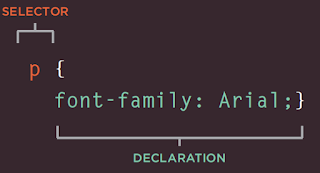
All about CSS

From book HTML & CSS - Design and Build Websites - Jon Duckett CSS works by associating rules with HTML elements. These rules govern how...